Plan, guide and restore implants digitally, from CBCT to All-on-X
A structured residency in computer-guided implantology: prosthetically driven planning, surgical guide design, digital implant impressions, implant prosthetics in exocad, full-arch and implant occlusion. Recorded curriculum, live case discussions and Voxelhub design evaluation.
- Read CBCT with a prosthetic eye and plan implants backwards from the final restoration
- Design tooth-, mucosa- and bone-supported surgical guides, including stackable guides for All-on-X
- Master scan bodies, Ti-bases, MUAs, photogrammetry and digital implant impressions
- Design screw-retained and cement-retained crowns, bridges, hybrids and bars in exocad
- Deliver implant occlusion that protects the implant and the prosthesis
Reserve your seat in DIR
Leave your details and our education advisor will contact you on WhatsApp with the full program details, dates and fees.
Placing implants is the easy part. Restoring them predictably is not.
Whether you place implants, want to start, or restore them from the lab side, the gap is always the same: planning that ignores the prosthesis, guides that don't seat, and impressions that don't fit.
"I place implants freehand and hope the prosthesis works out."
"The guide I ordered didn't seat, so I threw it away."
"Screw-retained or cement-retained? Custom or stock abutment? I just let the lab decide."
"All-on-X cases scare me. Where do I even start with the scan?"
What you will be able to do after DIR
Plan from the prosthesis backwards
Read CBCT, assess restorative volume and bone, and position implants where the final restoration needs them.
Design and print surgical guides
Tooth-, mucosa- and bone-supported guides, sleeves and offsets, verification and 3D printing.
Take digital implant impressions
Scan bodies, scan strategies, photogrammetry and verification jigs for single units to full arches.
Design implant prosthetics in exocad
Custom abutments, screw-retained crowns and bridges, Ti-bases, MUAs, hybrids and bars.
Handle full-arch and All-on-X
Stackable guides, immediate loading workflows, FP3 gingival design and conversion prostheses.
Deliver implant occlusion
Understand how implants differ from natural teeth in occlusion and distribute load safely.
The guided implantology workflow, module by module
Each module combines recorded lectures with live case discussions and design assignments reviewed on Voxelhub.
- The digital implant workflow: data collection, DICOM and STL, matching CBCT with intraoral scans
- Reading CBCT for implant planning: bone quality, anatomy, danger zones
- Prosthetically driven treatment planning and restorative-volume assessment
- Implant selection: platform, connection, position and angulation rules
- Virtual implant placement in planning software; wax-up driven planning
- Tooth-supported, mucosa-supported and bone-supported guide design; sleeves, offsets and guided kits
- Guide verification, 3D printing, post-processing and sterilisation
- Guided surgery protocols: flapless vs flapped, immediate vs delayed placement
- Scan bodies, Ti-bases, multi-unit abutments, digital analogs and library management
- Intraoral scanning strategies for single, multiple and full-arch implant cases
- Photogrammetry and verification jigs for full-arch accuracy
- Digital vs conventional impression techniques: when to use each
- Custom abutment design; abutment selection; emergence profile
- Screw-retained vs cement-retained crowns and bridges: design and material selection
- Quadrant and dual-quadrant designs over implants and natural teeth
- Manufacturing methods: milling, printing and material choices for implant prosthetics
- All-on-4 / All-on-X planning; stackable guide design for full-arch guided surgery
- Screw-retained full-arch design over MUAs / Ti-bases; hybrids, bars and verification jigs
- Immediate loading and conversion prosthesis workflows; smile design for full-arch cases
- Gingival design for FP3 prostheses; full denture and flipper designs
- Key differences between implant and natural-tooth occlusion; load distribution in multi-unit prostheses
- Occlusal scheme for implant-supported crowns, bridges and full arches
- Digital occlusal adjustment and virtual articulation for implant cases
- Troubleshooting: screw loosening, chipping, passive fit and retreatment
Module contents may be updated between batches to reflect the latest hardware and software.
Built for busy clinicians
Recorded lectures, on demand
Around 25 hours of structured content you can watch at your pace, with 24/7 access.
Live discussion sessions
Around 15 live sessions with Dr. Mostafa Salah: case reviews, Q&A and planning walkthroughs.
Assignments & Voxelhub evaluation
Plan and design your own cases; get expert evaluation on demand.
Community & mentorship
Continue the conversation in the residents' community and one-to-one sessions.
Who is DIR for?
- Dentists who already place implants and want a predictable guided workflow
- Dentists who want to start implantology the digital way, from the first case
- Prosthodontists and restorative dentists who restore implants
- Dental technicians and lab owners designing implant prosthetics and guides
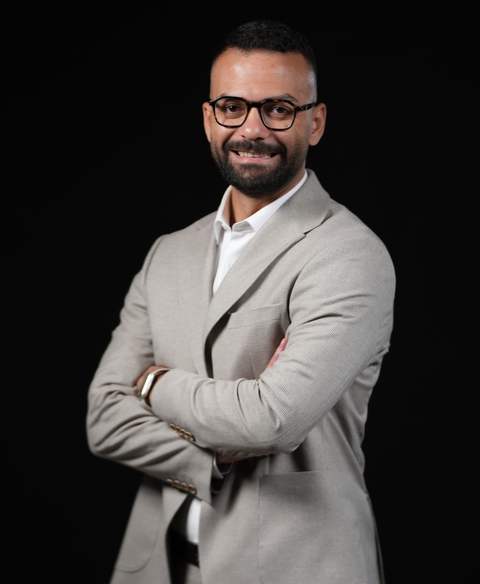
Dr. Mostafa Salah
Global digital dentistry consultant and trainer · MClinDent in Fixed & Removable Prosthodontics, King's College London (in progress, 2025–2028)
Founder of Voxelway and Voxelab, a digital lab specialising in CAD/CAM implant prosthetics, screw-retained and full-arch restorations and computer-guided surgical guide fabrication. Dr. Salah has trained more than 12,000 dentists and technicians across 13 countries and is a Key Opinion Leader for leading digital dentistry and implant companies.
Why dentists trust Voxelway
Questions residents ask before joining
Start your digital implants residency
Reserve your seat in DIR
Leave your details and our education advisor will contact you on WhatsApp with the full program details, dates and fees.